Reading time:16 min reads


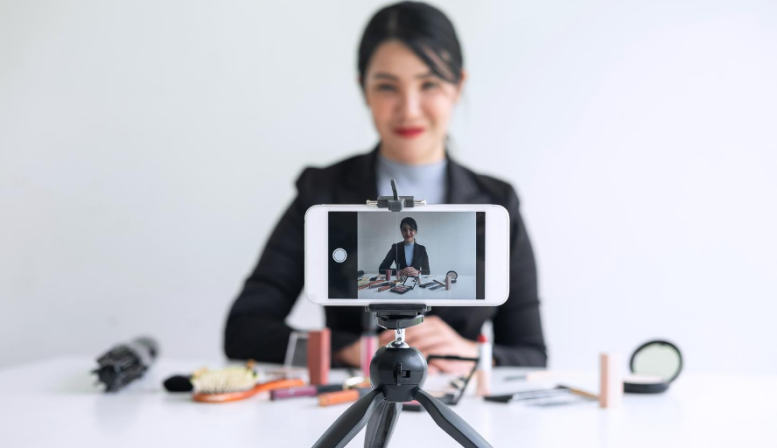
Picking the right platform for your Live Streaming is key, and you will need to set out what your needs are, then research the platforms to find out which can meet those needs.
Here are some questions to ask when doing your research:

Here are 7 popular streaming platforms for you to start with:
One of the benefits of live streaming is that budgeting can scale.
You can use your smartphone and a free service like Facebook and message your network directly, and start live streaming for free.
Alternatively, you can rent a studio, buy or rent professional hardware and a recording team, subscribe to a professional streaming service, and advertise your live streams on the major online networks so that it reaches completely new audiences. Both can be effective strategies, it depends on your brand and available funds.
Look at the level of professionalism your brand demands, and what your goals are. Then look at what budgets you can set to achieving those goals.
Here are somethings to consider when setting your budget:
Technology: such as camera, microphones, lights, etc.
Platform subscription: data usage, storage, amount of uploads per service
Boosting posts: Facebook, Twitter, LinkedIn and Google Ads advertising
Setting up a sales funnel: including the landing page, CRM, email marketing, etc.
Co-host, film crew or camera-person, assistant.

As we discussed in the last section, your live streaming technology can be simple or advanced, but are you going to need the following:

Consider doing a semi-private trail run so that your first live stream is still professional looking, for example: making sure the connection is strong and that your camera produces a clear, professional image.
This is especially important if you are going to use your smartphone to record a live presentation— if you are too far away from the microphone, it will not pick up your voice and it will end up being a waste of both you and your audiences time.
If you are going to take the time to create the video, views are necessary— if you want to use Live Video to grow your speaking business, you need people to watch the videos.
Here are a few things you can do to start building your view count: before, during and after the Live Video.
1. Communicate to your network
Tell your friends, followers, colleagues, and network ahead of time that you are going to be broadcasting a live video.
Invite them to tune in, being clear about the time and telling them why they might want to get involved.
Facebook found that a day’s notice is best for giving people time to tune in.
2. Subscribers
Ask your network and past viewers to subscribe to your live videos so they get notified every time you go live.
3. Don’t let it drop
Double check your internet connection. Make sure your video comes in clear and professional. If the wifi at the event is wobbly, switch to 4G. Do a test run if you need to with a friend or colleague.
If your video is shaky, pixelated and cuts out halfway through, it will not reflect well on you and your speaking brand.
4. Generate interest
Create an attractive and interesting headline and description before going live to grab people’s attention. Add value right away, or give people a reason to watch.
Instead of “Live Video NYC at the Bright Conf. 2018”
Consider something like:
5. Get creative!
Live Video is attractive because it is exciting. A surefire way to kill excitement is to do the exact same thing every time. Combat this by switching things up.
Change the location regularly, invite interesting guests, get creative. Do something invigorating and interesting for your audience to activate their desire to continuing tuning in.
1. Grab their attention
While you might have 10 seconds on a stage to grab their attention, you have less than a third of that time with Live Video.
Estimates put the attention-grabbing window at a mere 3 seconds (that is the rough time from for autoplay on the Facebook feed). That means those first few seconds are crucial.
2. Start with short purpose-driven Live Videos
When you are just starting with your Live Videos, aim to keep them between 3 to 10 minutes as you figure out what works for you and your audience.
Start with a concrete, clear purpose, and then let that determine what you cover in your video.
Examples:
Having one clear purpose for your video will help engage your audience better, instead of trying to put everything into one video, keep the videos shorter, and more purpose driven.
Note: Avoid making your videos too short, it will not give people enough time to tune in. Live Videos under 3 minutes might not open up a window large enough for people to engage.
3. Repeat: your name, what you are doing and calls to action
If you are filming for long periods of time, you will probably reach more people, especially once your Live Videos start gaining more traction. A key tip is to re-introduce yourself in case people are joining in later, and reiterate every so often what you are doing and why.
Also, you can re-share links and re-offer calls to action, such as
Do this periodically, because people will tune in and out at different times.
4. Name drop
Don’t underestimate the power of using a commenter’s name while you are live posting!
While you don’t want to stand there and list everyone who is tuning in, saying something like “Great question, John.” or “What do you think of that view, Sarah?” works for two reasons.
The first is that it accentuates that this is an interactive live experience— this is what makes it totally different than video on demand, and can give viewers who watch the replay more likely to join in next time.
Secondly, it will make audience members feel valued, building a long-lasting, loyal, and engaged audience.

“I have a friend who made a video last October when she was going through breast cancer treatment. She just gave makeup tips because she was bald and she just thought it would be great, she'd asked my advice. I told her what to do, she went Live for 15 minutes, five people were there. Now 20,000 people have seen and shared, and I think there was like 550 shares on Facebook of that one video.“
-Dorien Van-dam
Your video is not over the moment you stop recording, in fact, the replays can have a more significant impact than the live recording. Here are three ways to increase you replay views:
1. Pay for advertising
Whether you choose to boost the post (on Facebook, Twitter or LinkedIn) the content will likely get more views if you can boost it to be in front of more people. Make sure you factor this into your budget, but adding $4-$5/€4-€5 to a post can make quite a difference on who see it.
2. Change the headline and copy
After the Live session, go in an create a value-based headlined and alter the copy to reflect that the event has already happened, and what viewers could gain from watching the replay.
3. Share it.
If you are looking to get more Live Video replays, you need to let people know it exists, do this by sharing it on your networks and sending personal messages to influencers, colleagues, and friends.
Here are some ideas on where to share it:
4. Tag guests
If you had a guest (or met some influencers, event organizers or audience members) tag them and share with them the post. You can be bold as ask them to share it with networks as well to get more views.
While it will take some time and practice to find the live video techniques that will work for you and your audience, but we encourage you to jump in and start using this exciting and useful technology to reach your audience and grow your business.
We would love to hear some of your tips and experiences when it comes to negotiating a speaking fee, please contact us here.
Popular Categories